Skip to content
CHUDWARE
ProductGalleryDocsPricingAbout
Sign inCreate an account
Menu
ProductGalleryDocsPricingAboutSign inCreate an account

Product gallery

Start with the request. Inspect the result.

See the request, the result, and the tools used to inspect it. Open any image at full size to read the feature tree, copilot, and study details.

Modeling includes a recorded demo response. CAM and simulation use scripted examples; their requests describe those scenarios rather than quote a conversation. Capture details.

01 / Model

Build the tray. Leave every feature human-editable.

A small tray with box, fillet, and shell features preserved as a dimension-driven, human-editable history.

Public demo request (task excerpt)

“Create a 60 × 40 × 10 mm open-top tray. Fillet two vertical outside edges to 4 mm, then shell it to a 2 mm wall by removing the top face.”

Recorded in a new demo workspace. The screenshot includes the assistant's response.

Observed result

The agents created one solid with editable box, fillet, and shell features; measured a 1.998 mm minimum wall; passed its geometry verification; and saved the native .step+ document. The deterministic capture reproduces the same feature sequence in the viewport.
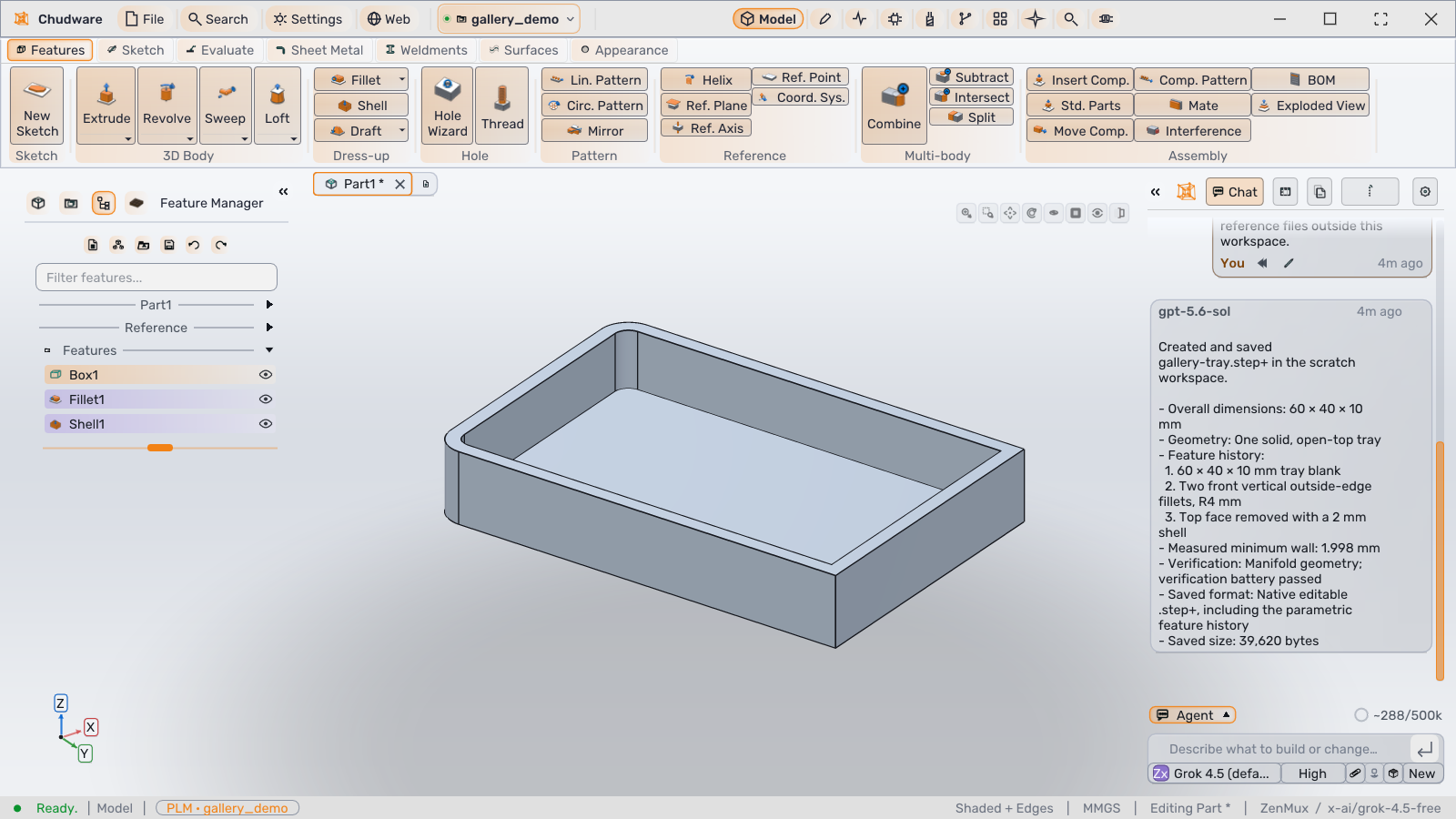
Chudware modeling workspace showing an open-top tray in the 3D viewport, an ordered Box1, Fillet1, and Shell1 feature tree on the left, and the full Copilot panel and composer on the right
Modeling workspace · recorded demo responseOpen full size

02 / Manufacture

Generate a milling job, then review the path.

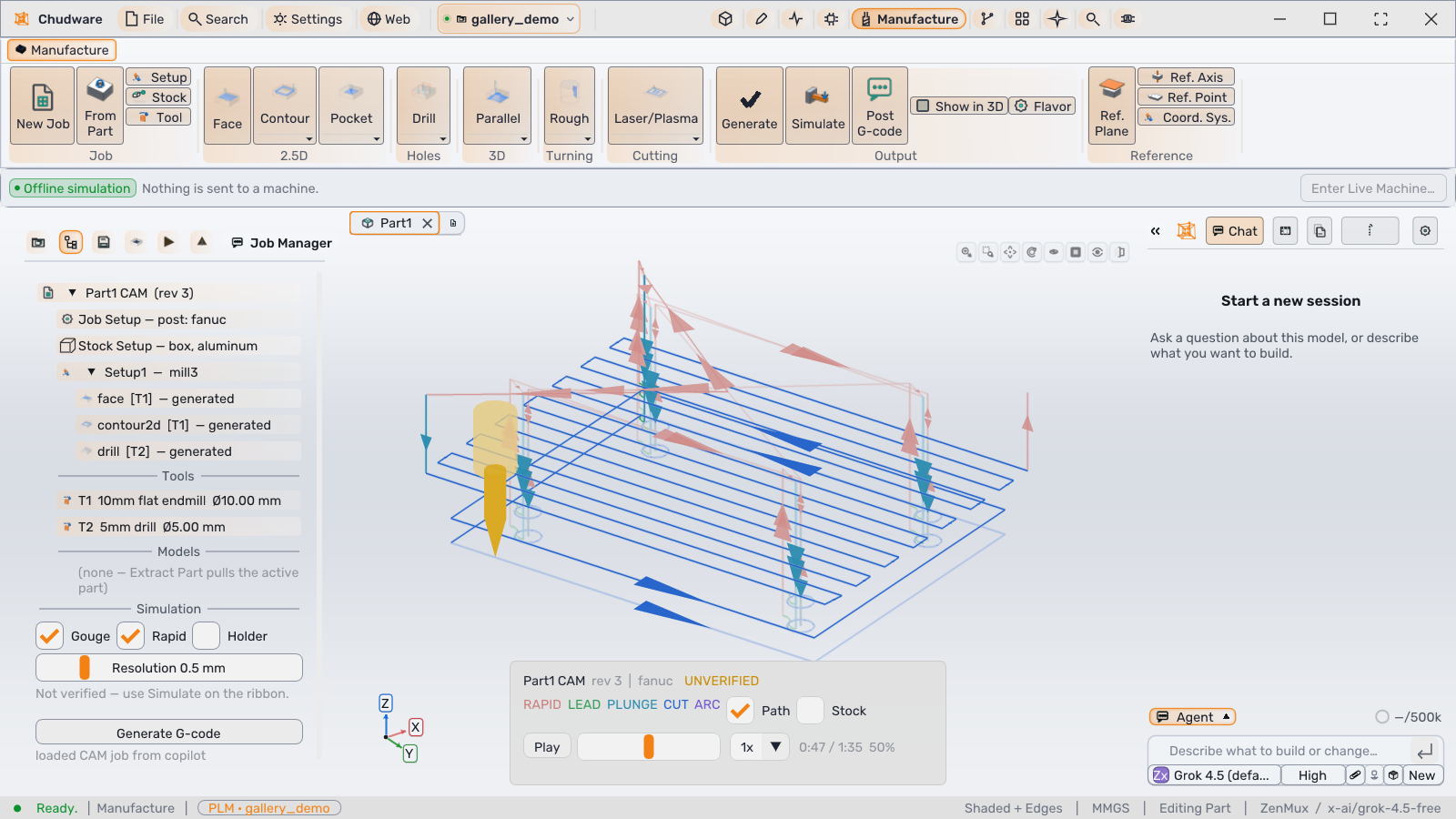
The CAM state stays explicit: stock, post, operations, tools, removal settings, and playhead are all visible before anything reaches a machine.

Example request

“Prepare an 80 × 60 × 15 mm plate with four Ø5 mm through-holes for a Fanuc mill. Generate the operations and pause the simulation halfway through.”

Suggested request for the scripted example below.

Observed result

The job contains face, contour, and drill operations using a 10 mm flat end mill and a 5 mm drill. The viewport is paused at 50% (0:47 of 1:35), and the job remains visibly marked UNVERIFIED.

Chudware Manufacture workspace showing a four-hole plate with toolpaths in the native viewport, face, contour, and drill operations in the Job Manager, a 50 percent simulation playhead, and the full Copilot panel and composer
CAM workspace · scripted exampleOpen full size

03 / Simulate

Define the load case. Read the result with its mesh.

Inspect the stress contour alongside displacement, factor of safety, and mesh counts.

Example request

“Run a static study on a 60 × 40 × 10 mm steel block. Fix the −X end face, apply 100 N in −Z to the +X end face, and show von Mises stress and displacement.”

Suggested request for the scripted example below.

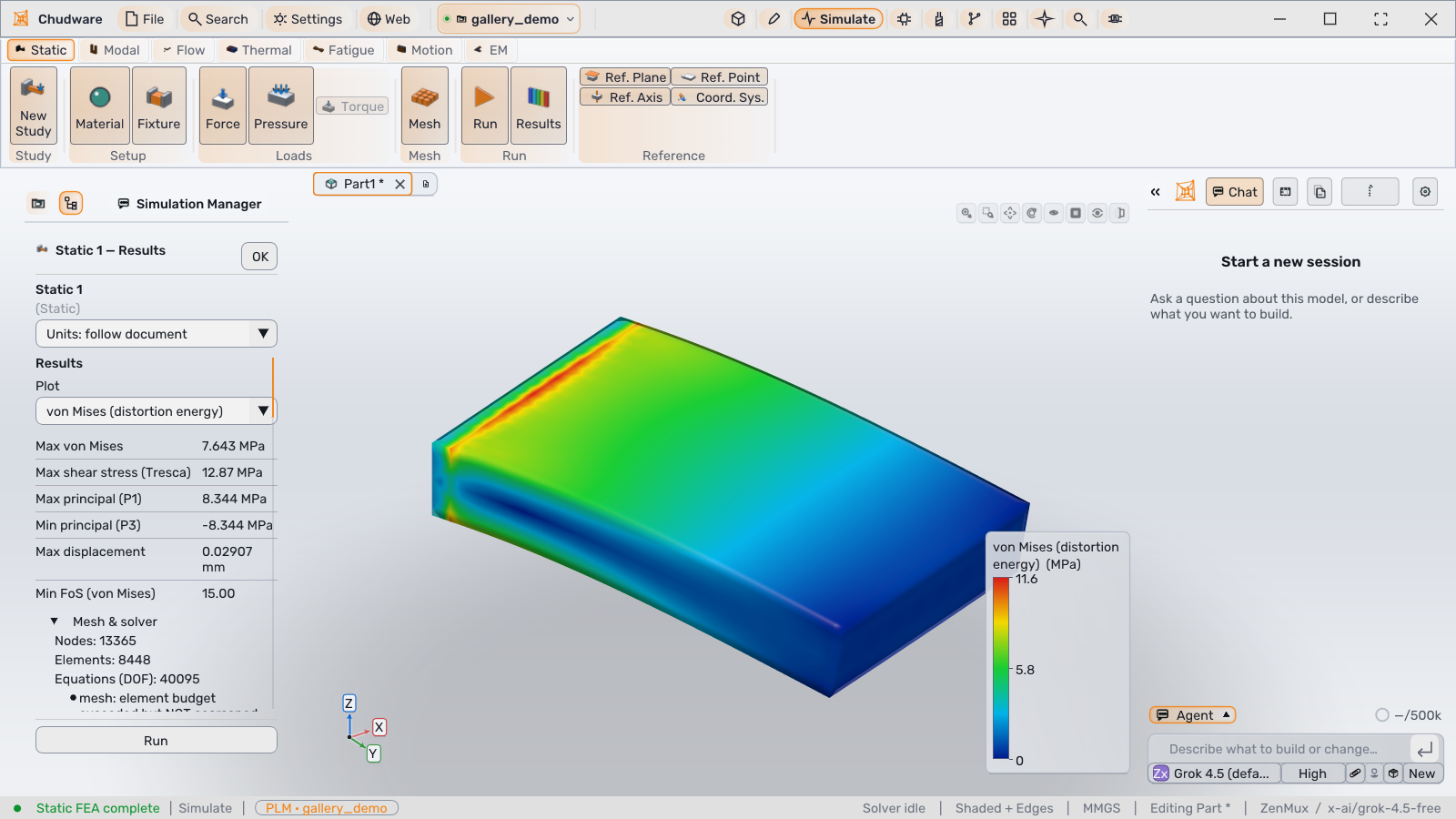
Observed result

The captured study reports its stress scale, peak displacement, minimum factor of safety, and node, element, and equation counts beside the contour. It is one scripted study result, not a benchmark or design sign-off.

Chudware Simulate workspace showing a completed static study with a von Mises stress contour and scale, numeric stress, displacement, factor-of-safety, mesh and solver results, and the full Copilot panel and composer
Static stress study · scripted exampleOpen full size · Simulation details
CHUDWARE

AI-first CAD for engineers. Dimension-driven models on exact solids, and a team of agents that works in your model.

CapabilitiesModelingAssembliesSimulationPolyMesh FEACAMPLMAI copilotReverse engineering
ExploreOverviewGalleryPricingDownloadDocsFAQChangelog
Company & legalAboutOpen sourceSecurityContactTermsPrivacyEULARefunds
© 2026 ChudwareAI-first CAD for engineers.